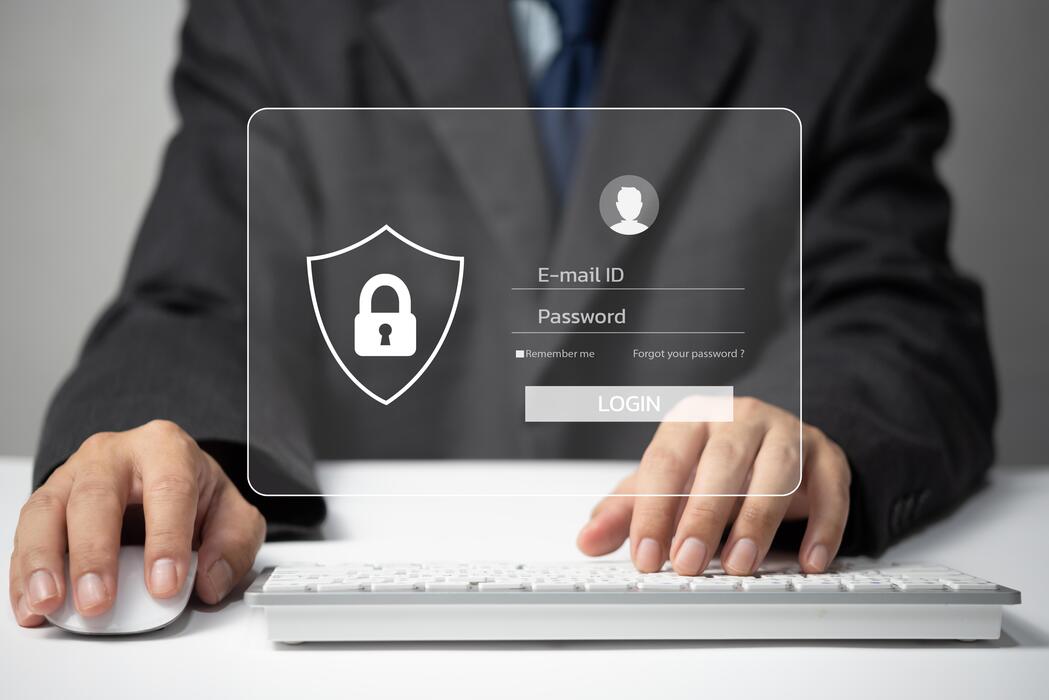
The five most effective ways to protect your data against hackers are: (1) Learn to recognize common security threats, including phishing, ransomware, malware, and smishing. (2) Avoid accessing sensitive data on public Wi-Fi and use a business VPN when remote access is necessary. (3) Use strong, unique passwords of at least 12 characters for every account and enable multi-factor authentication. (4) Verify links and attachments before clicking, even from known senders. (5) Keep all operating systems, applications, and security software fully updated at all times.
Online banking, digital payments, cloud storage, and remote work have made running a business faster and more convenient than at any point in history. They have also made business data a more accessible target than ever before. Cybercriminals do not discriminate by company size. In 2025, ransomware appeared in 44 percent of all data breaches, and 88 percent of SMB breaches involved ransomware, according to Verizon's Data Breach Investigations Report. The average cost of a single data breach reached $4.88 million in 2025, according to IBM, and for small to mid-sized businesses, a breach often costs between $120,000 and $1.24 million.
The good news is that most successful cyberattacks exploit preventable vulnerabilities. Hackers are not primarily looking for technical sophistication. They are looking for the easiest target available. Businesses that take five foundational steps dramatically reduce their attractiveness as targets and their exposure when attacks do occur. If your organization has already experienced a breach or faces persistent attack attempts, our managed cybersecurity services provide the layered protection that reactive measures alone cannot deliver.
Data protection does not exist in isolation. It is one component of a broader technology strategy that growth-oriented businesses need to get right from the ground up. The five steps below are where that foundation begins.
91% of successful data breaches start with a phishing attack, according to the Verizon 2025 Data Breach Investigations Report. Recognizing the threat is the first line of defense.
The most common cybersecurity threats targeting businesses in 2026 are phishing (deceptive emails that steal credentials or install malware), ransomware (malware that encrypts files and demands payment), smishing (phishing delivered via text message), malware (malicious software designed to damage systems or steal data), and business email compromise (BEC), where attackers impersonate executives or vendors to authorize fraudulent transactions.
You cannot defend against what you do not recognize. The majority of successful cyberattacks begin not with sophisticated technical exploits but with a human decision to click a link, open an attachment, or trust an incoming message. Understanding the most common attack types is the first and most important step toward protecting your business.
What it is: An attempt to obtain credentials, financial information, or access to systems by impersonating a trustworthy source. Phishing arrives primarily through email and typically contains a link to a fake login page or a malicious file download.
How it reaches you: Email from what appears to be a bank, software vendor, Microsoft, or a known contact. The sender address is spoofed, and the link leads to a site that captures credentials or installs malware silently.
What it is: Malicious software that locks access to critical systems and files, then demands a ransom payment for the decryption key. Modern ransomware attacks increasingly use double extortion, threatening to publish stolen data publicly if payment is not made.
How it reaches you: Delivered through phishing emails, malicious attachments, or compromised remote desktop connections. Once inside the network, ransomware can spread laterally before activating.
What it is: A broad category covering viruses, spyware, trojans, and other malicious programs. Malware may steal credentials, log keystrokes, create backdoors for future access, or corrupt and delete business data.
How it reaches you: Email attachments, malicious downloads, compromised websites, and infected USB devices. Malware often operates silently in the background, collecting data without triggering obvious symptoms.
What it is: A phishing attack conducted via SMS text message rather than email. Smishing messages typically create a sense of urgency, claiming a package delivery issue, account suspension, or security alert that requires immediate action through a provided link.
How it reaches you: Text messages to personal or business phones. Because SMS carries an implicit sense of legitimacy, click rates on smishing messages are often higher than on phishing emails.
When a request for personal information, payment details, or account credentials arrives by any channel, treat the request with skepticism and verify it through a separate, trusted communication method before taking any action. The most reliable way to reduce phishing risk across an entire organization is structured.
When a request for personal information, payment details, or account credentials arrives by any channel, treat the request with skepticism and verify it through a separate, trusted communication method before taking any action. The most reliable way to reduce phishing risk across an entire organization is structured cybersecurity awareness training that teaches employees to recognize and report attacks before they cause damage. Awareness is not a one-time briefing. It is an ongoing program that evolves alongside the threat landscape.
No. Public Wi-Fi networks lack authentication controls, which means any device connected to the same network can potentially intercept unencrypted traffic. Attackers can set up rogue access points that mimic legitimate hotspots to capture credentials and session data. For any business-related activity on public Wi-Fi, a business VPN that encrypts all traffic end-to-end is the minimum acceptable protection.
Coffee shops, airports, hotels, and coworking spaces are where a significant portion of modern business happens. They are also where a disproportionate share of credential theft and data interception occurs. Public Wi-Fi networks require no authentication to connect, which means there is no barrier preventing another device on the same network from intercepting unencrypted traffic passing between your device and the connection point.
This is not a theoretical risk. Man-in-the-middle attacks on public networks allow an attacker to capture login credentials, session tokens, and sensitive data from devices that have not taken protective measures. Rogue access points that mimic legitimate hotspot names are another common tactic, tricking devices into connecting through an attacker-controlled network.
A strong business password is at least 12 characters long and combines uppercase and lowercase letters, numbers, and special characters in an unpredictable sequence. It should never contain dictionary words, names, dates, or keyboard patterns. Each account must have a unique password so that a breach on one platform cannot be used to access others. Multi-factor authentication (MFA) adds a second verification step that prevents access even when a password is compromised.
Credential theft is the leading method by which attackers gain initial access to business systems. Once an attacker has a working username and password combination, they move quickly. Credential stuffing attacks take lists of stolen credentials from one breach and automatically test them across hundreds of other services, exploiting the widespread habit of reusing passwords.
A strong password policy closes the most commonly exploited door in business cybersecurity. It is not the only control needed, but it is among the most impactful relative to its cost and complexity.
Password managers solve one of the core practical objections to strong password hygiene: nobody can memorize twenty unique, complex passwords. A password manager generates, stores, and autofills credentials securely so that the strength of each password does not depend on human memory.
160%
Increase in credential theft in 2025 driven by AI-enhanced phishing campaigns, according to CrowdStrike's 2025 Global Threat Report. Stolen passwords fuel account takeovers, ransomware, and fraud across organizations.
Before clicking any link, hover over it to reveal the actual destination URL and verify it matches the sender's legitimate domain. Look for subtle misspellings, extra characters, or unfamiliar domains. Attachments from unexpected senders should never be opened without direct verbal confirmation from the sender through a separate channel. If an email creates urgency or requests credentials, treat it as suspicious regardless of the apparent sender.
Phishing attacks work because they are designed to look legitimate. A message appears to come from your bank, your software vendor, a colleague, or even your own IT department. The link it contains leads to a convincingly designed fake login page. The attachment it carries installs malware silently in the background. The urgency of the message discourages the pause that would catch the deception.
Building a habit of verification before interaction is one of the highest-leverage behaviors an individual or organization can develop. It does not require technical expertise. It requires a moment of deliberate attention.
Email addresses, caller IDs, phone numbers, and text messages can all be spoofed. The visible sender information is not a reliable signal of legitimacy. The content and context of the message, and the destination of any link or attachment it contains, are the indicators that matter.
Security software and operating systems should be updated as soon as patches become available, ideally through automated update mechanisms that do not depend on manual action. Critical security patches should be applied within 24 to 72 hours of release, as 32 percent of exploited vulnerabilities are attacked within one day of public disclosure, according to VulnCheck's 2025 State of Exploitation Report. Delaying updates leaves known vulnerabilities open for attackers who actively scan for unpatched systems.
Every piece of software your business uses, from the operating system on each workstation to the applications your team relies on daily, contains vulnerabilities that researchers and attackers discover over time. Software vendors release patches to close these vulnerabilities as they are identified. The window between when a vulnerability is disclosed and when attackers begin exploiting it is shrinking. In 2025, 32 percent of known vulnerabilities were exploited within 24 hours of public disclosure.
Unpatched systems are not a low-risk oversight. They are an open invitation. Attackers actively scan the internet for systems running known vulnerable software versions, and they find them quickly. Maintaining a current patch state across every device in your environment is one of the most direct ways to reduce your attack surface.
For most businesses, the practical challenge of patch management is not awareness but execution. Keeping every device current across a distributed workforce, with different operating systems and application stacks, requires consistent process and tooling that most organizations do not have in-house. Automated patch management, delivered as part of a managed IT engagement, solves this problem at the organizational level rather than relying on individual employees to restart their computers at the right time.
The five steps in this guide are not a checklist you complete once and file away. They are an ongoing operational discipline that requires attention, reinforcement, and periodic reassessment as the threat landscape evolves. Hackers adapt their techniques continuously. AI-generated phishing emails now achieve click rates up to 54 percent compared to 12 percent for conventional phishing, according to research published in 2024. Vishing attacks using deepfake voice technology increased by 442 percent in 2025. The tools available to attackers are improving faster than most organizations' defenses.
If you are uncertain where your current defenses stand, an IT security assessment is the most direct way to identify gaps before an attacker does. Our team evaluates your current environment, identifies the specific vulnerabilities your business faces, and recommends the controls that will have the greatest impact on your security posture.
At Ferrara IT, we provide IT security training for users and managed cybersecurity services for businesses across the Philadelphia metro area. We believe the most effective security posture combines technology controls with a well-trained workforce. The organizations that reduce their breach risk most effectively are those that invest in both.


© 2026 All Right Reserved | Ferrara IT